Digital Transformation for Manufacturing Just Focus On Production.

See the floor now, not tomorrow.

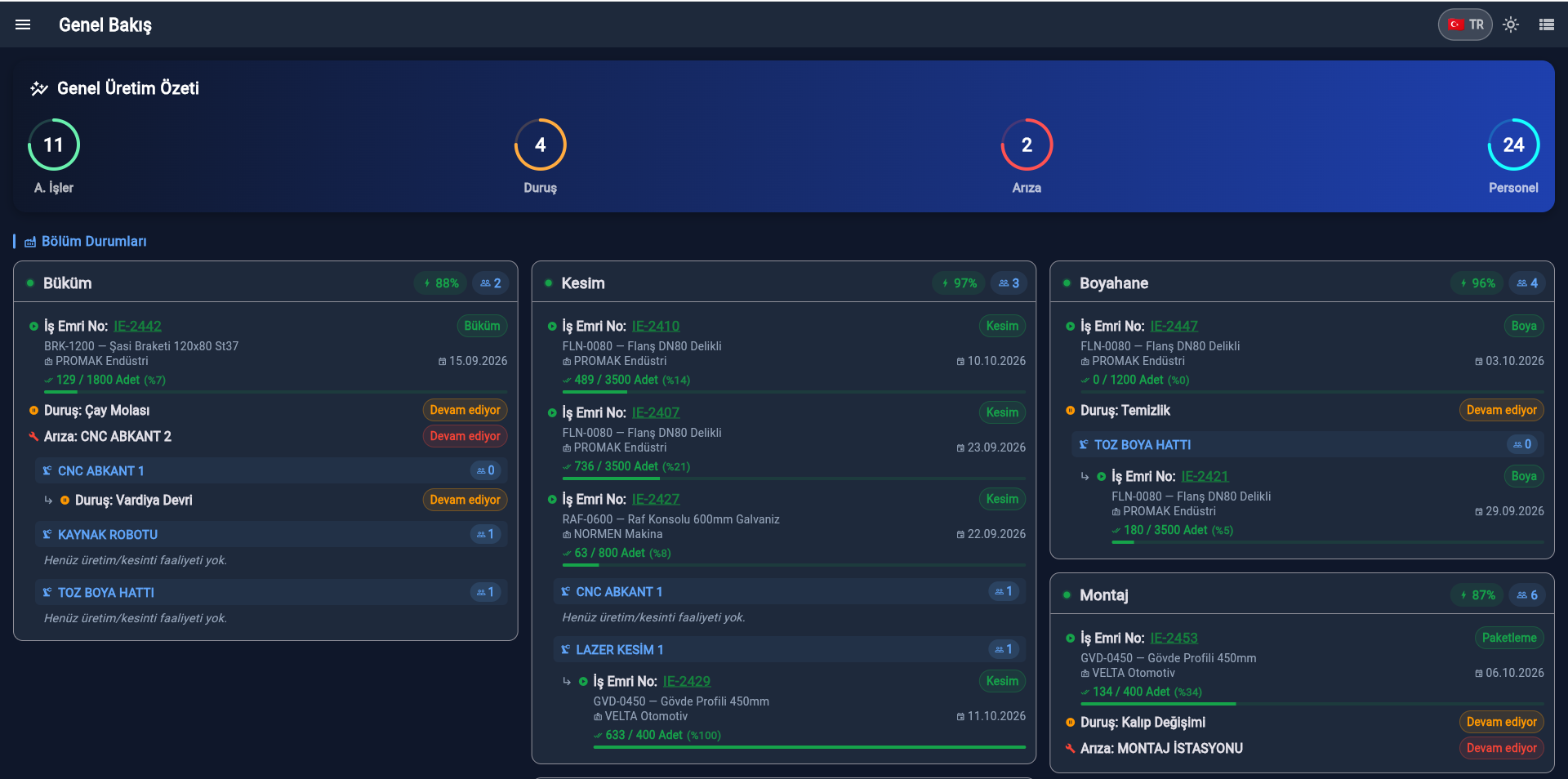
manuflo is a manufacturing execution system (MES): it records production, stoppages and faults as they happen. Which department is running, which one stopped, and why — all on one screen.

No setup · Runs in the browser · No credit card

FOR THE FIELD TEAM COMING SOON Google Play
OVERVIEW
GENEL BAKIŞ
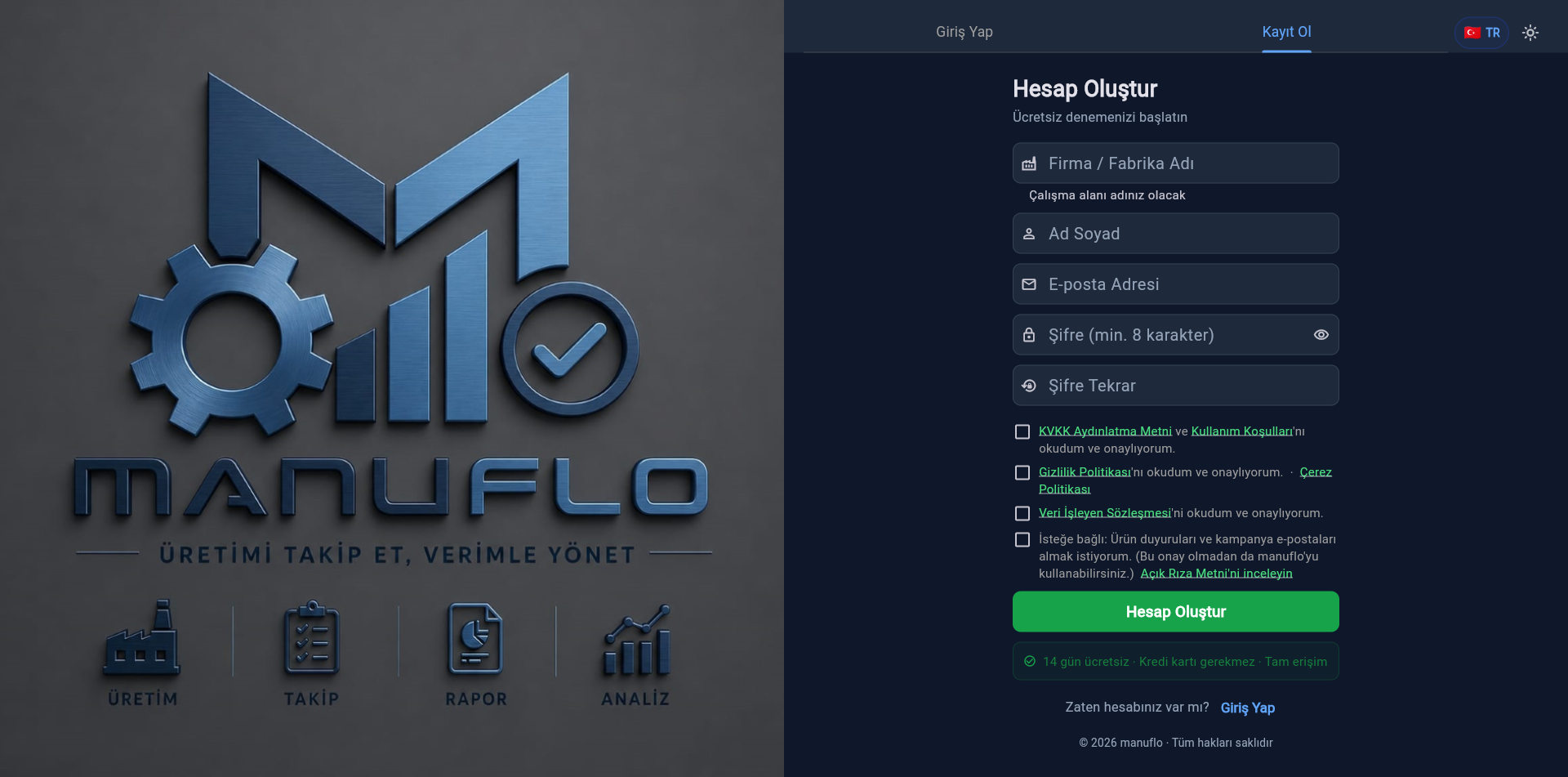
SIGN UP
KAYIT OL
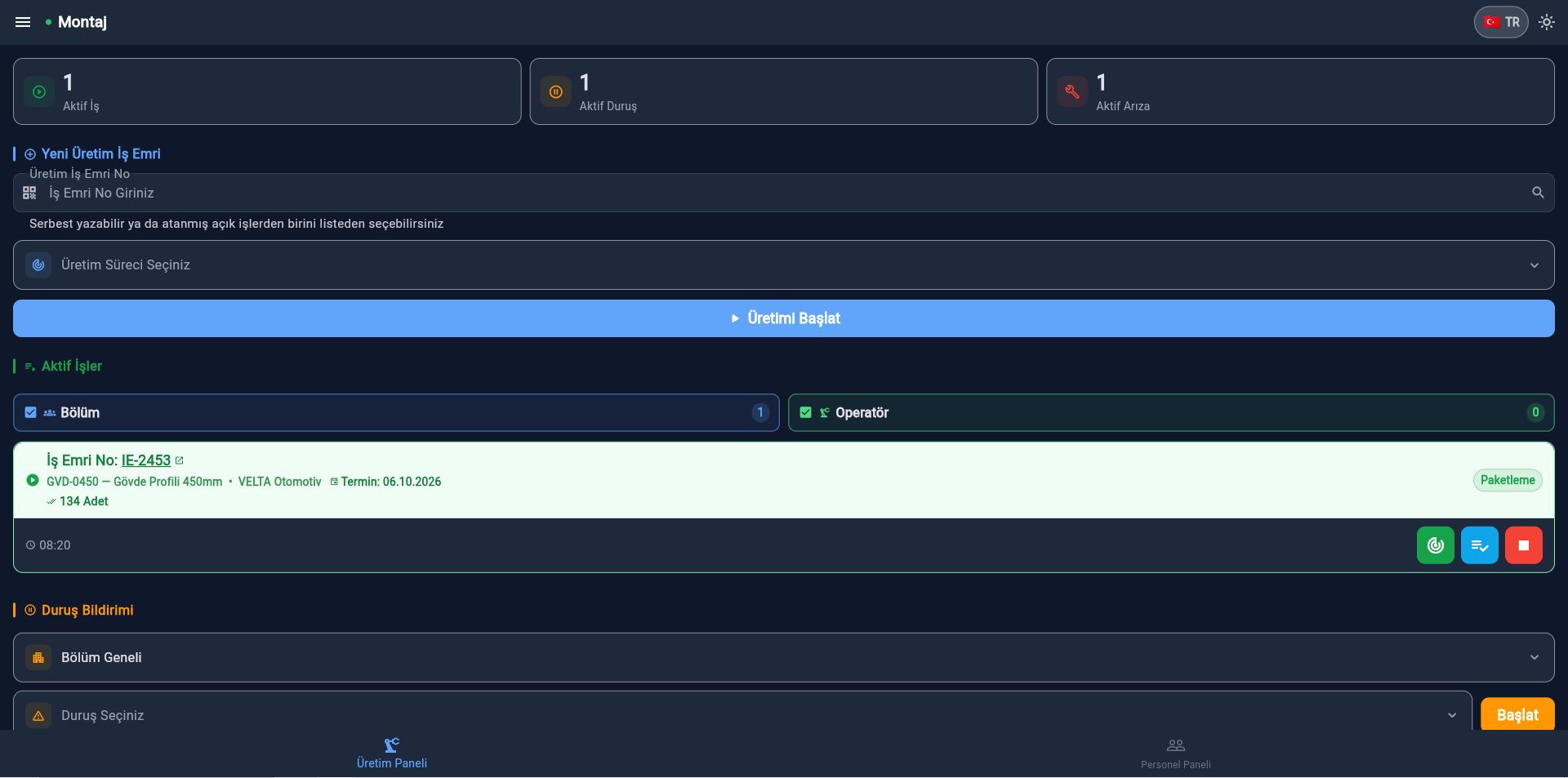
LEADER PRODUCTION
LİDER ÜRETİM PANELİ
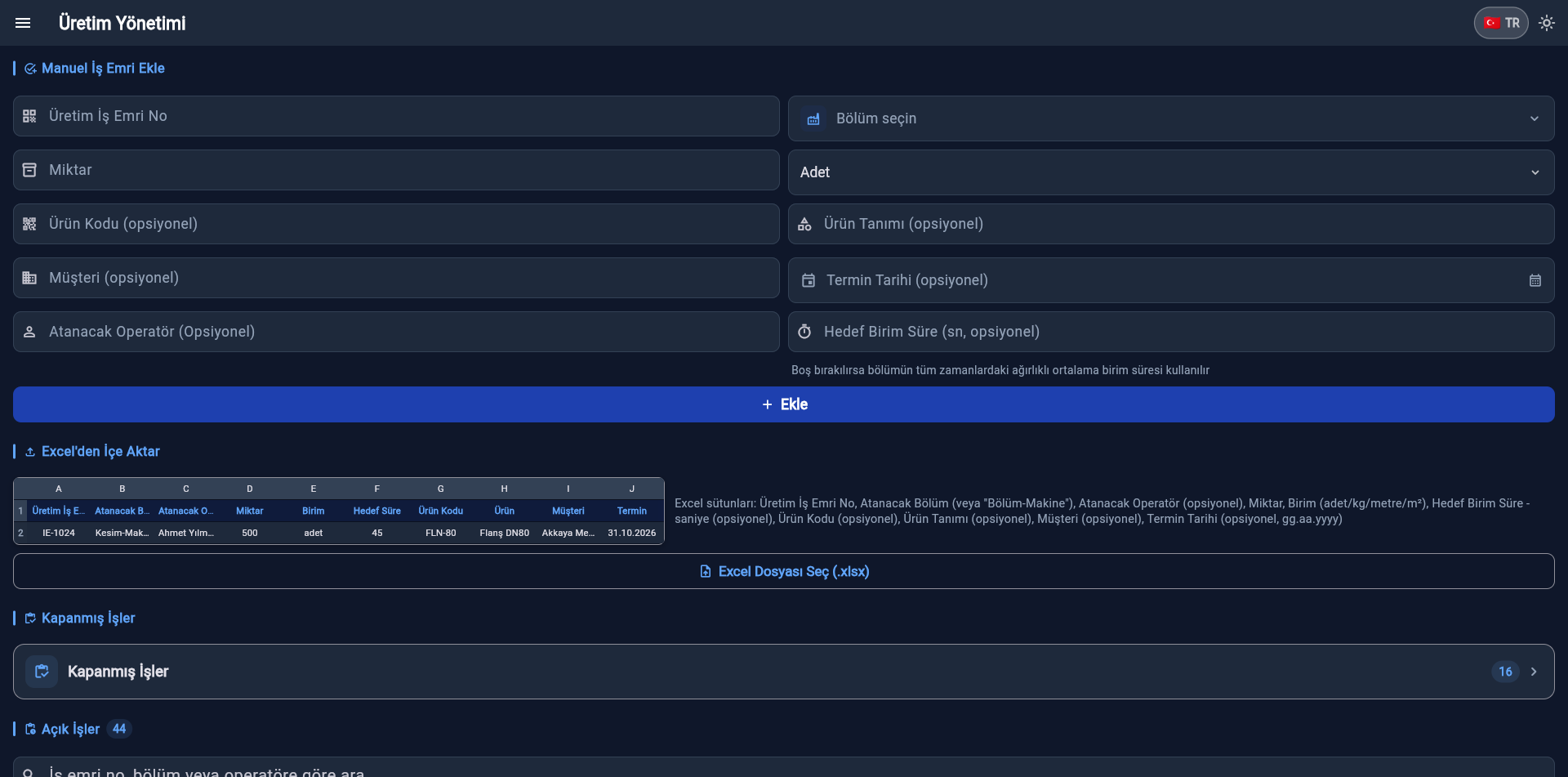
WORK ORDER MANAGEMENT
İŞ EMRİ YÖNETİMİ
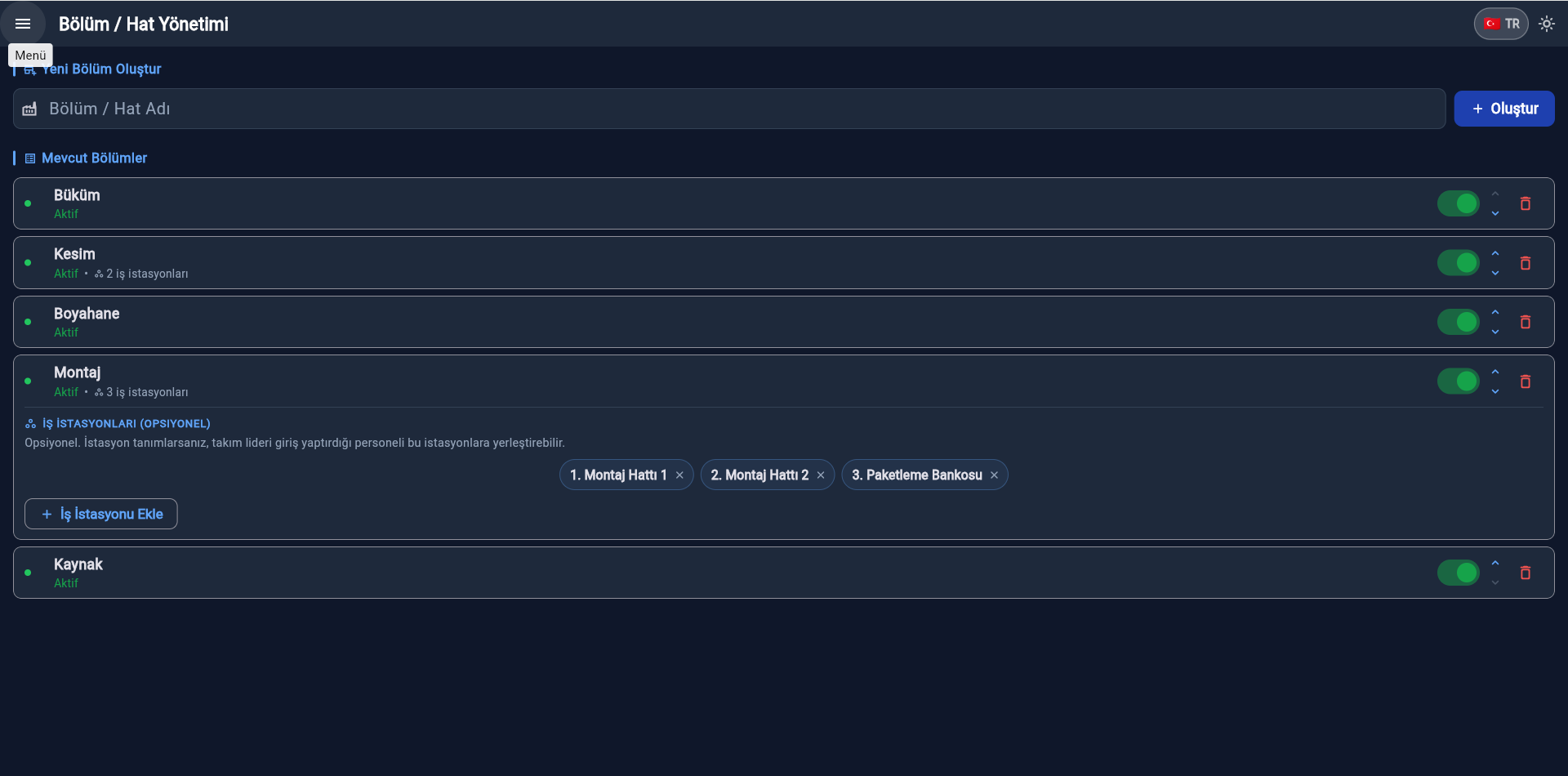
DEPARTMENT MANAGEMENT
BÖLÜM / HAT YÖNETİMİ
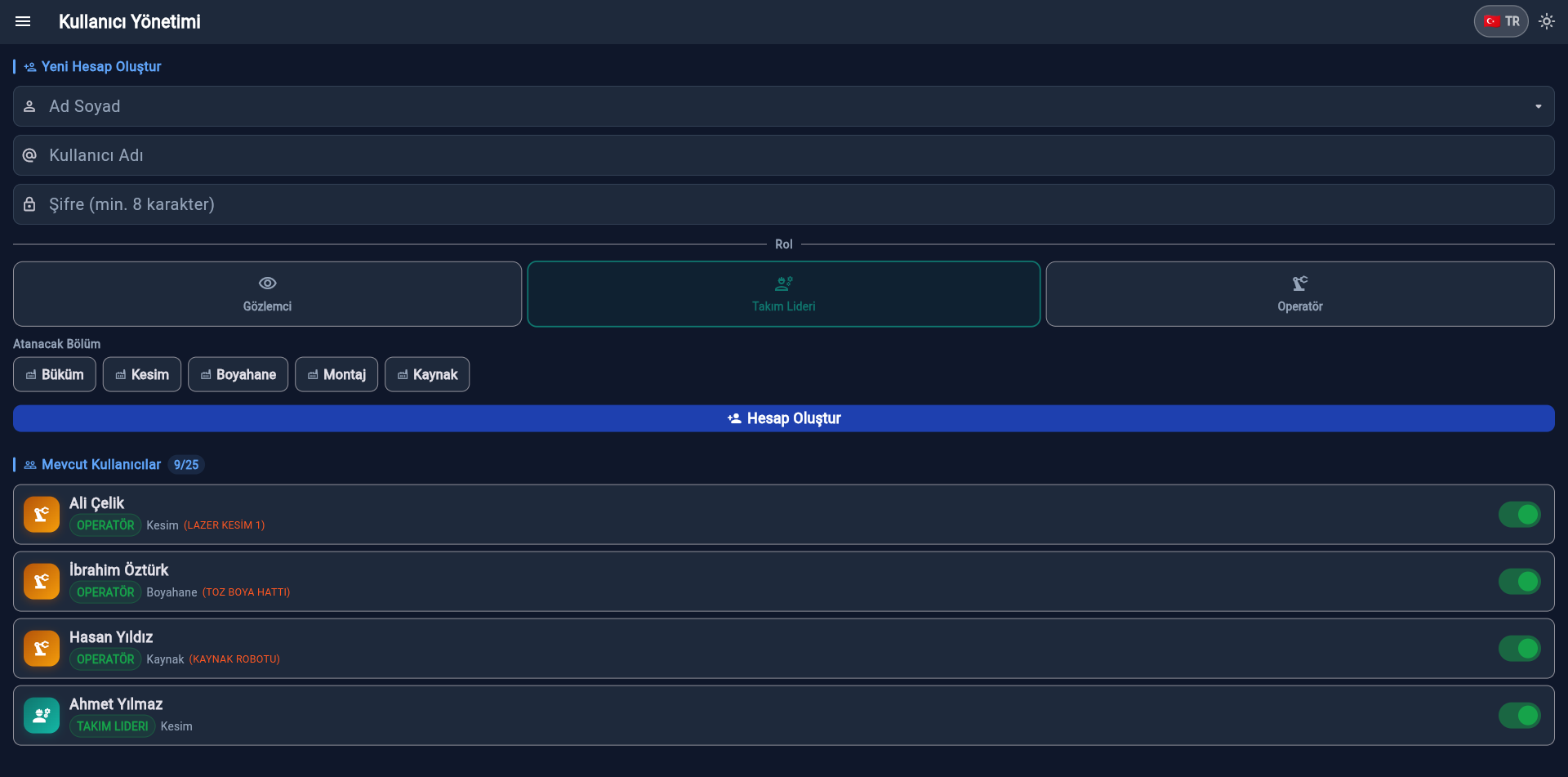
USER MANAGEMENT
KULLANICI YÖNETİMİ
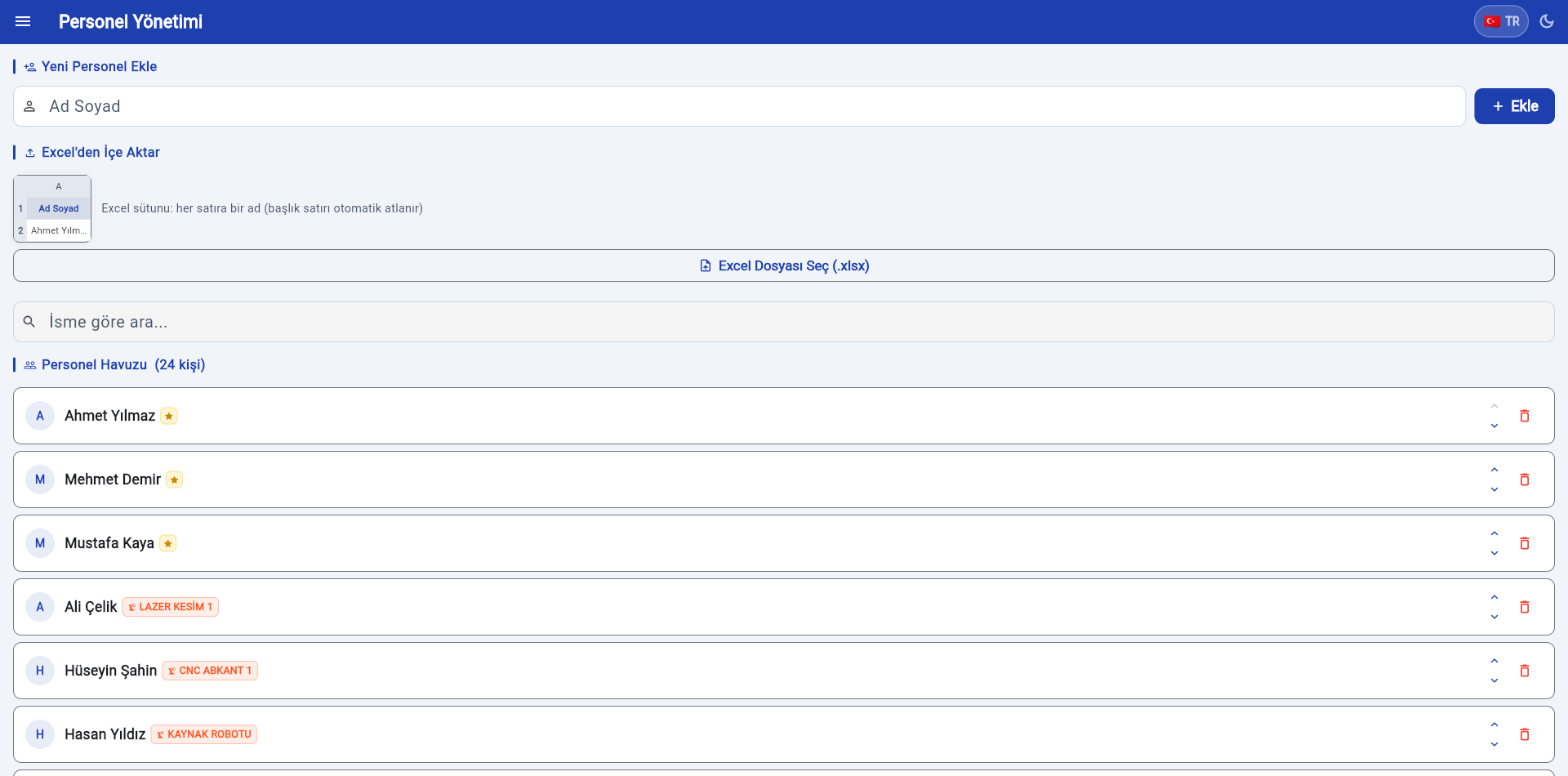
STAFF MANAGEMENT
PERSONEL YÖNETİMİ
STOPPAGE MANAGEMENT
DURUŞ YÖNETİMİ
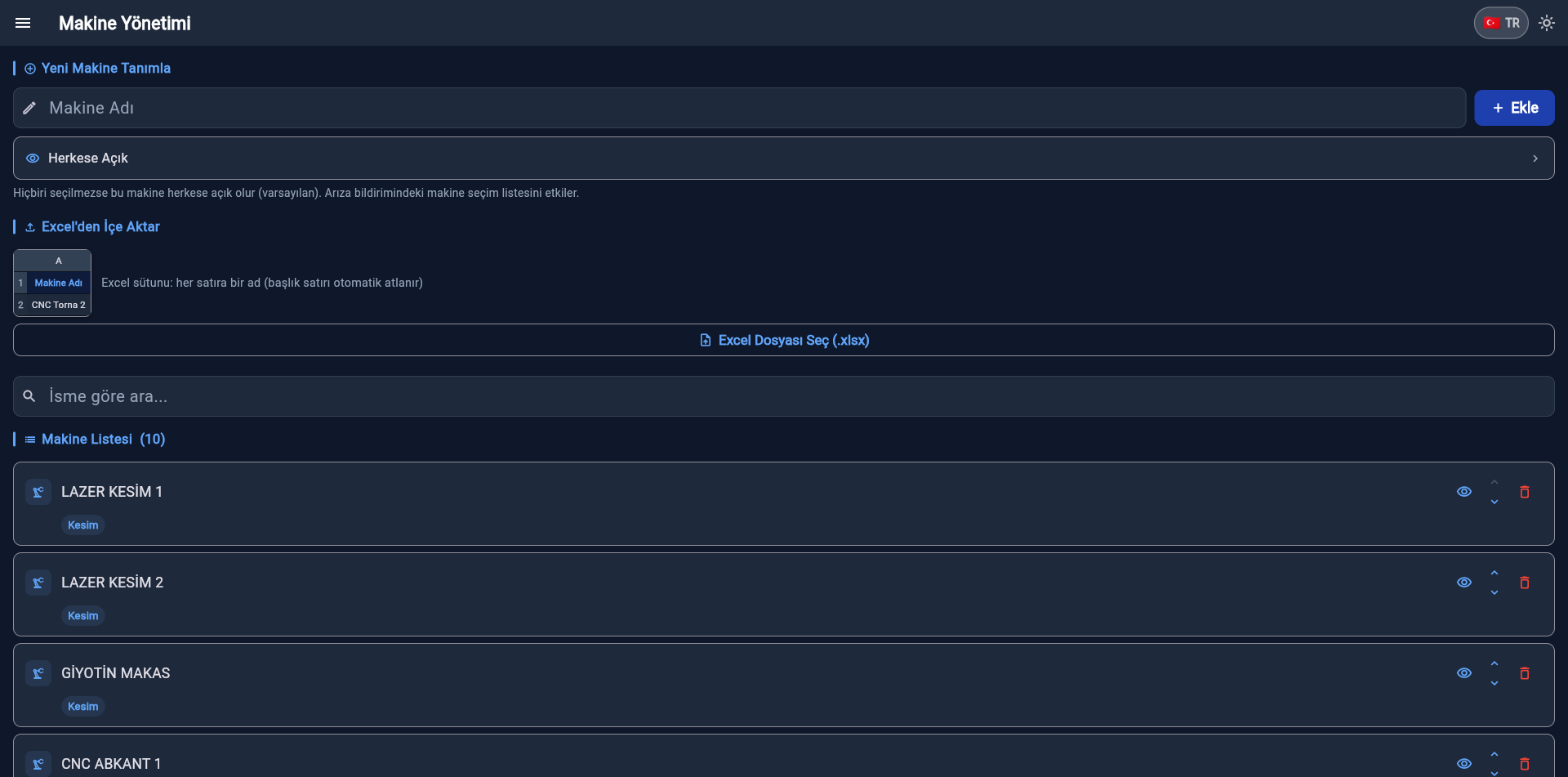
MACHINE MANAGEMENT
MAKİNE YÖNETİMİ
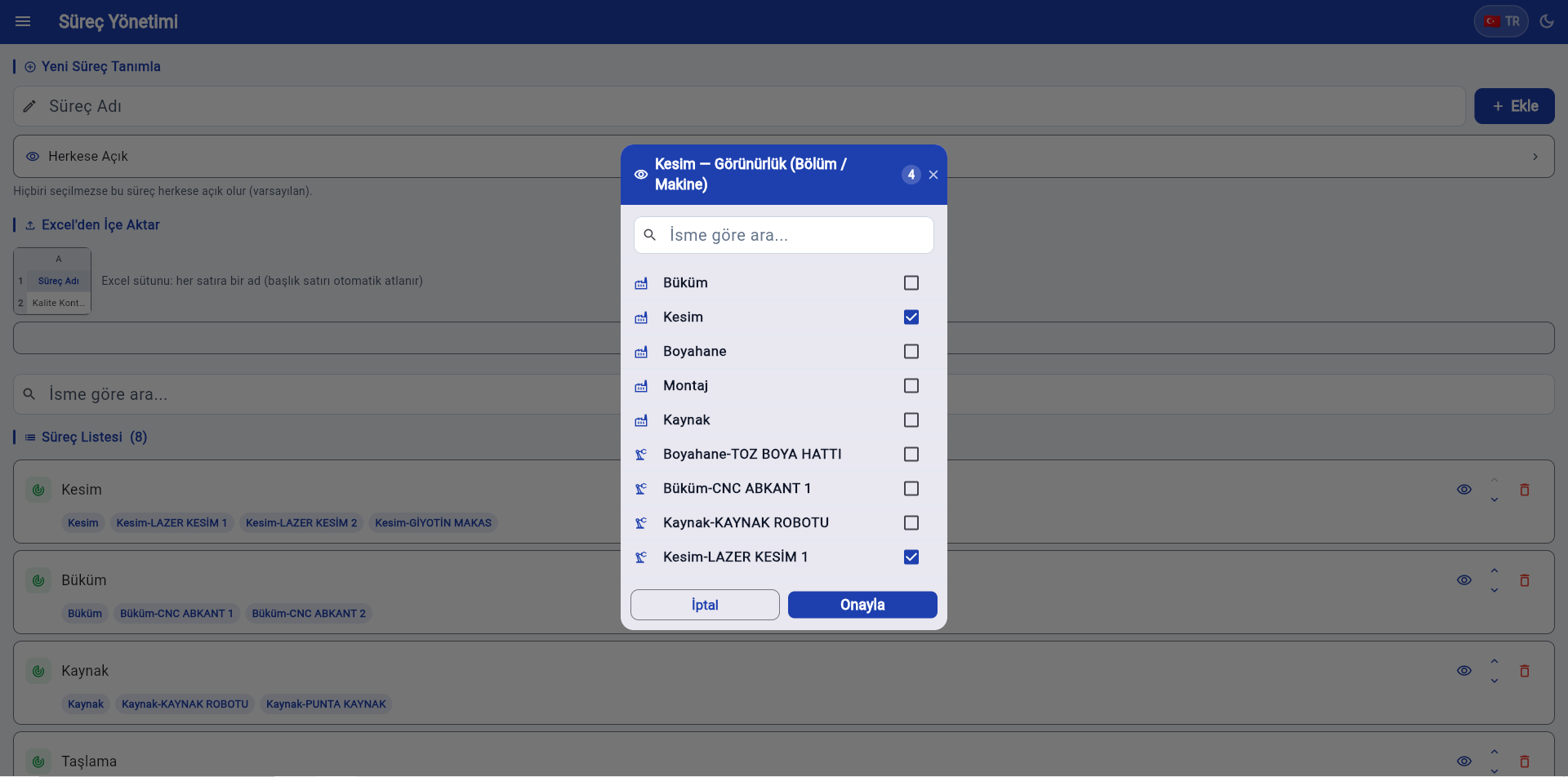
PROCESS MANAGEMENT
SÜREÇ YÖNETİMİ

Works for every manufacturing sector.

Metal Textile Food Automotive Furniture Plastics Machinery Electronics + all manufacturing branches
How it's tracked today

The shift is over. What do you actually have?

In most plants production data is collected after the day ends. Until then, the stopped machine, the waiting work order and the lost hours are on nobody's screen.

Paper sheets

Always a day behind

Collected at shift end, typed up the next morning. The moment you could have acted has already passed.

Excel files

Everyone has a different copy

Nobody knows who updated what or when. Two departments report different numbers and no one knows which is right.

Word of mouth

"The press was down a bit"

How long, why, how many times? Downtime that isn't measured repeats itself, and its cost stays invisible.

Machine utilisation

You can't tell which machine is the bottleneck

When downtime and runtime are not recorded, maintenance is decided on a hunch. You cannot show with data which machine needs the investment.

Due dates

Delays surface too late

Nobody knows which stage a work order is at without asking. By the time a due date slips, the chance to act is gone.

Scrap and stock

The real cost stays hidden

Scrap is noted by hand and material deduction is left for later. Even at month end, a product's true cost is not clear.

Product tour

Watch it work, module by module.

Fourteen steps from company registration to the month-end report — about 70 seconds.

manuflo
manuflo
manuflo
manuflo
manuflo
manuflo
manuflo
manuflo
manuflo
manuflo
manuflo
manuflo
manuflo
manuflo
02

Define departmentsDefine your lines — Cutting, Assembly, Press — and toggle any active or passive in one tap.

2 / 14
Screens

Every module, real screens.

Tap any screen to view it larger.

Giriş ekranı
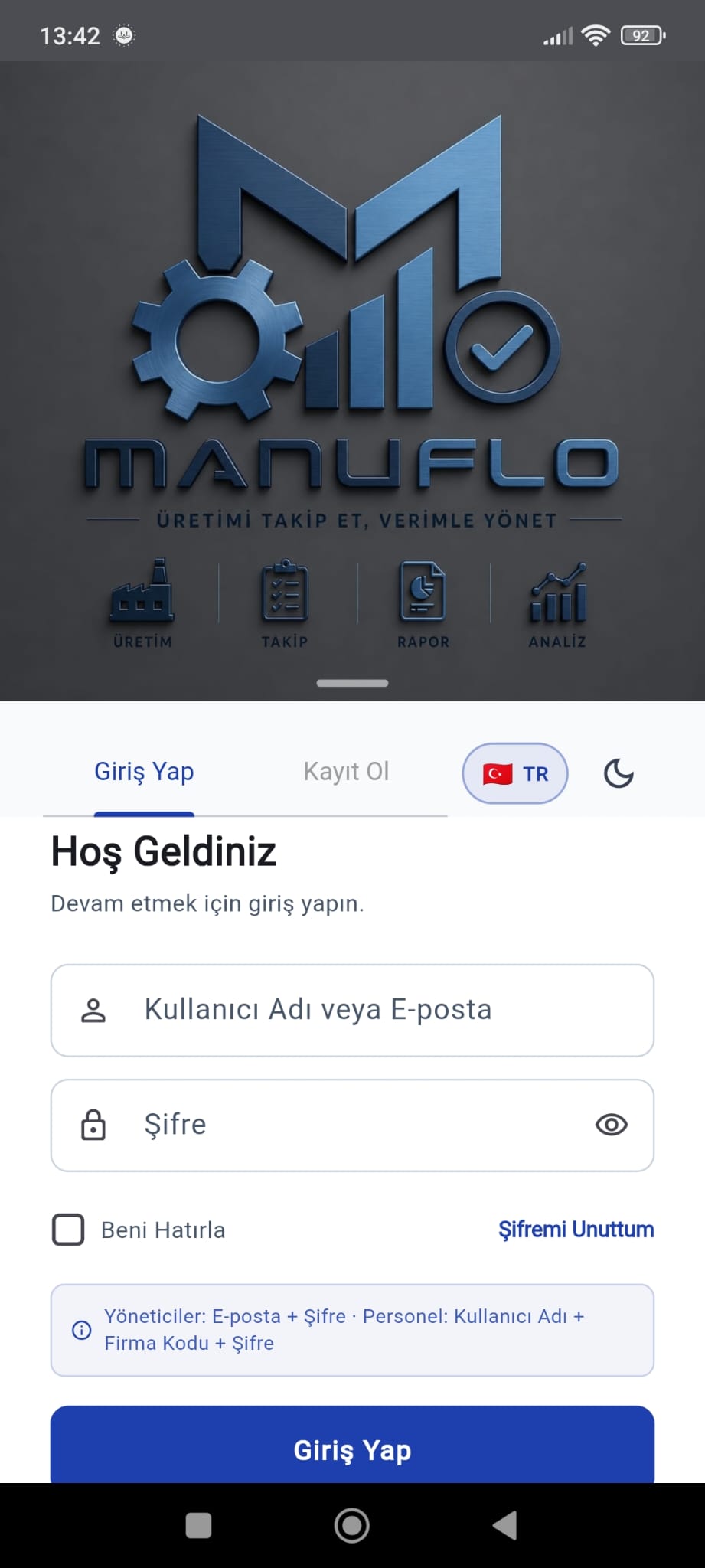
Sign-in screenManager & leader login
Yönetici menüsü
Manager menuCompany code & modules
Genel bakış
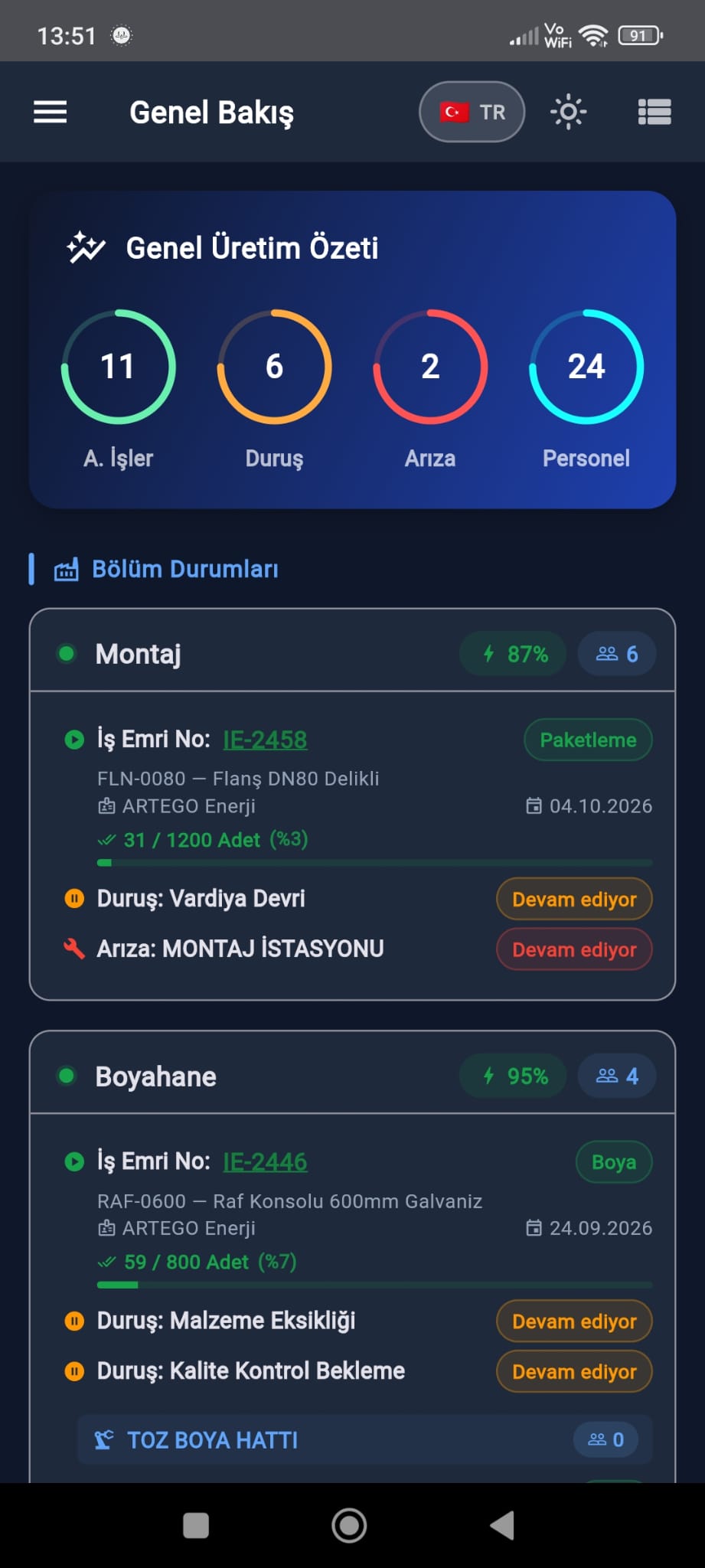
OverviewLive status of all lines
Makine durumları
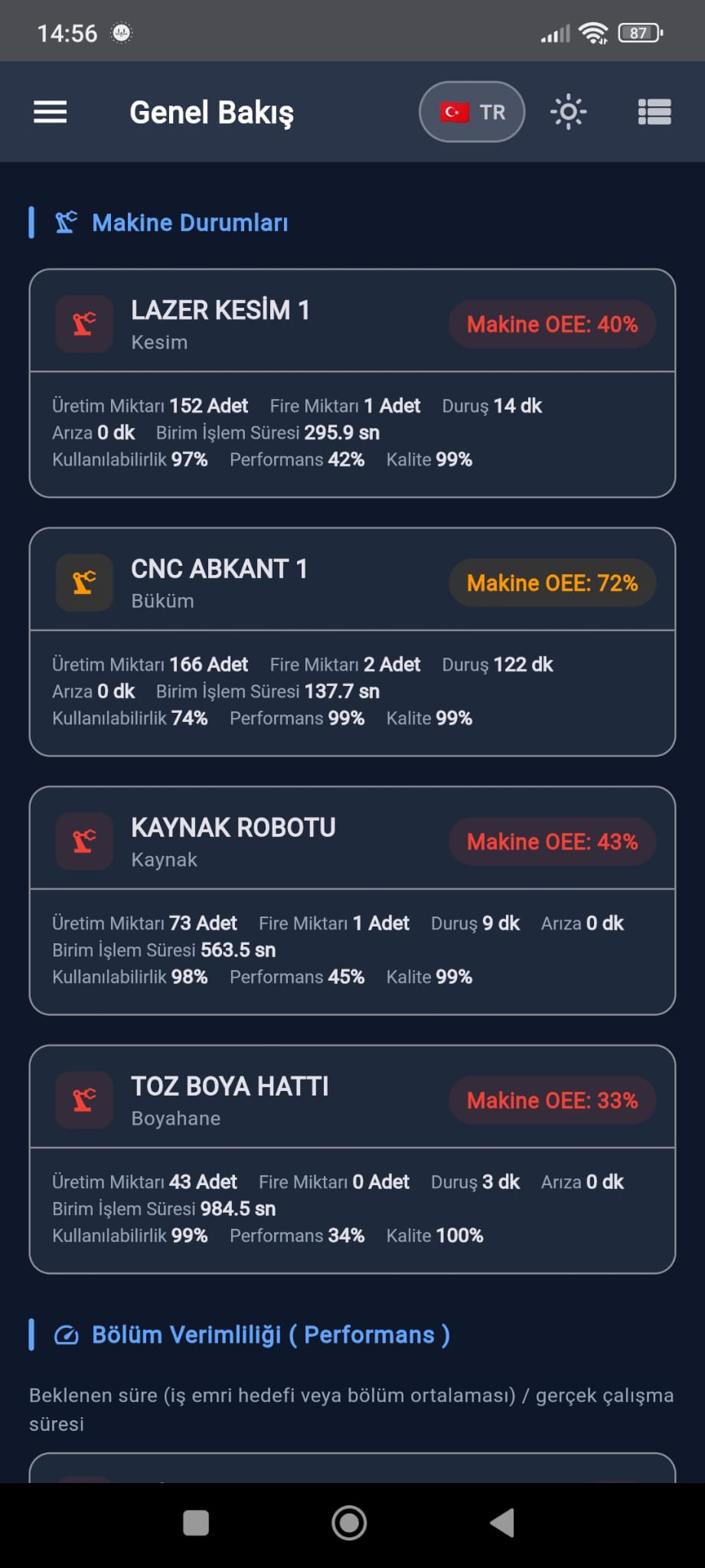
Machine statusPer-machine OEE and availability
Bölüm / Hat yönetimi
Department managementAdd lines, toggle status
Süreç yönetimi
Process managementDefine processes
Stok kartları
Stock cardsRaw material and consumable stock
Reçeteler
Bills of materialComponents and scrap allowance
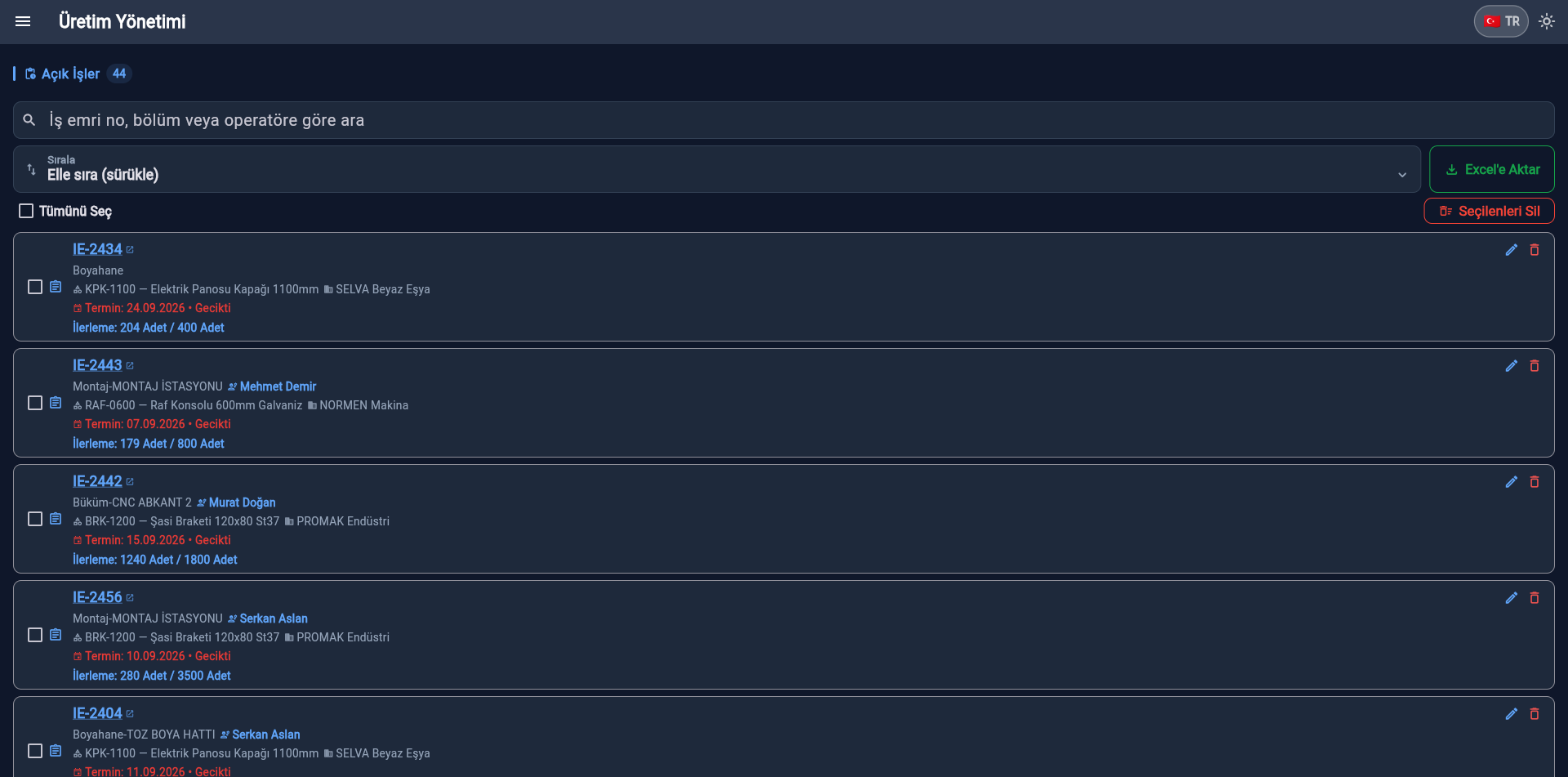
İş emri yönetimi
Work order managementCreate orders, view open jobs
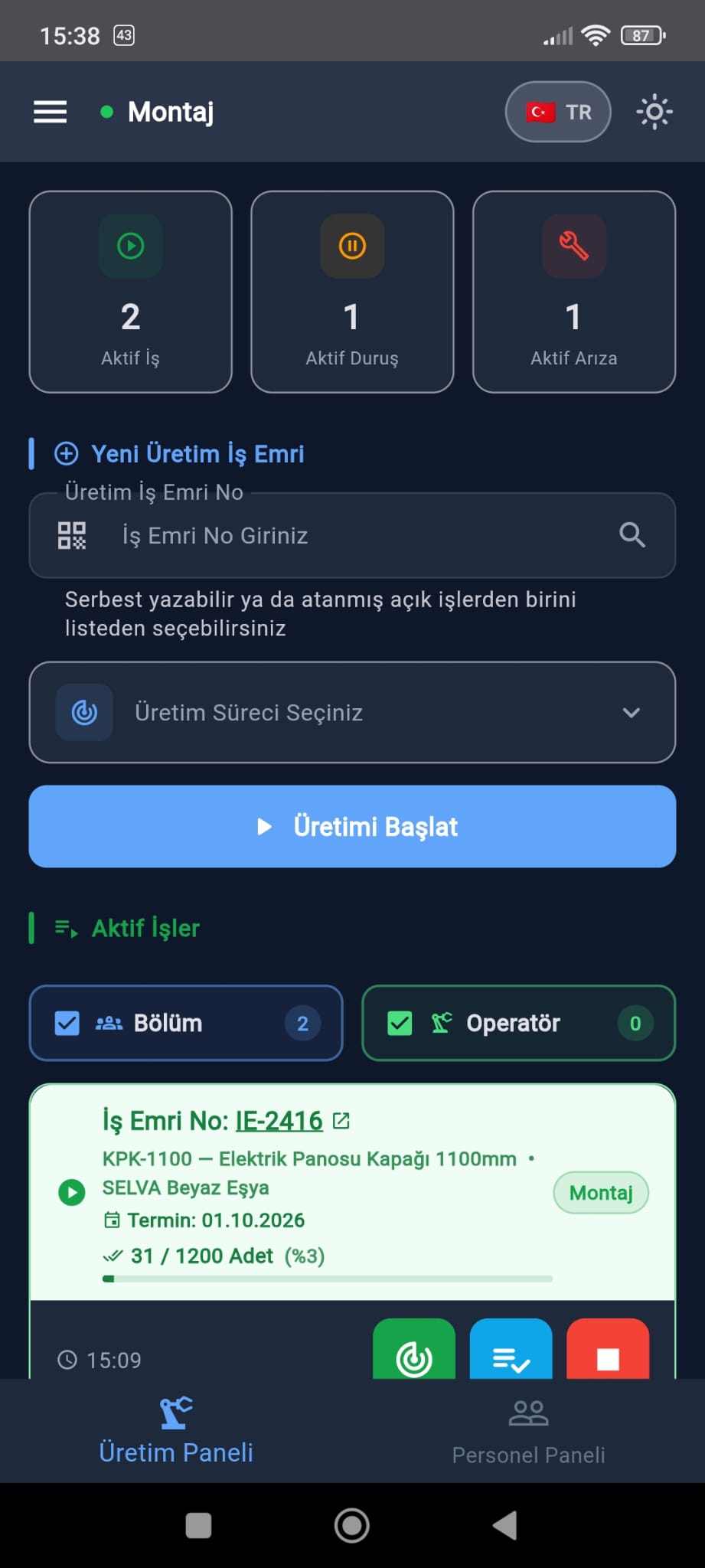
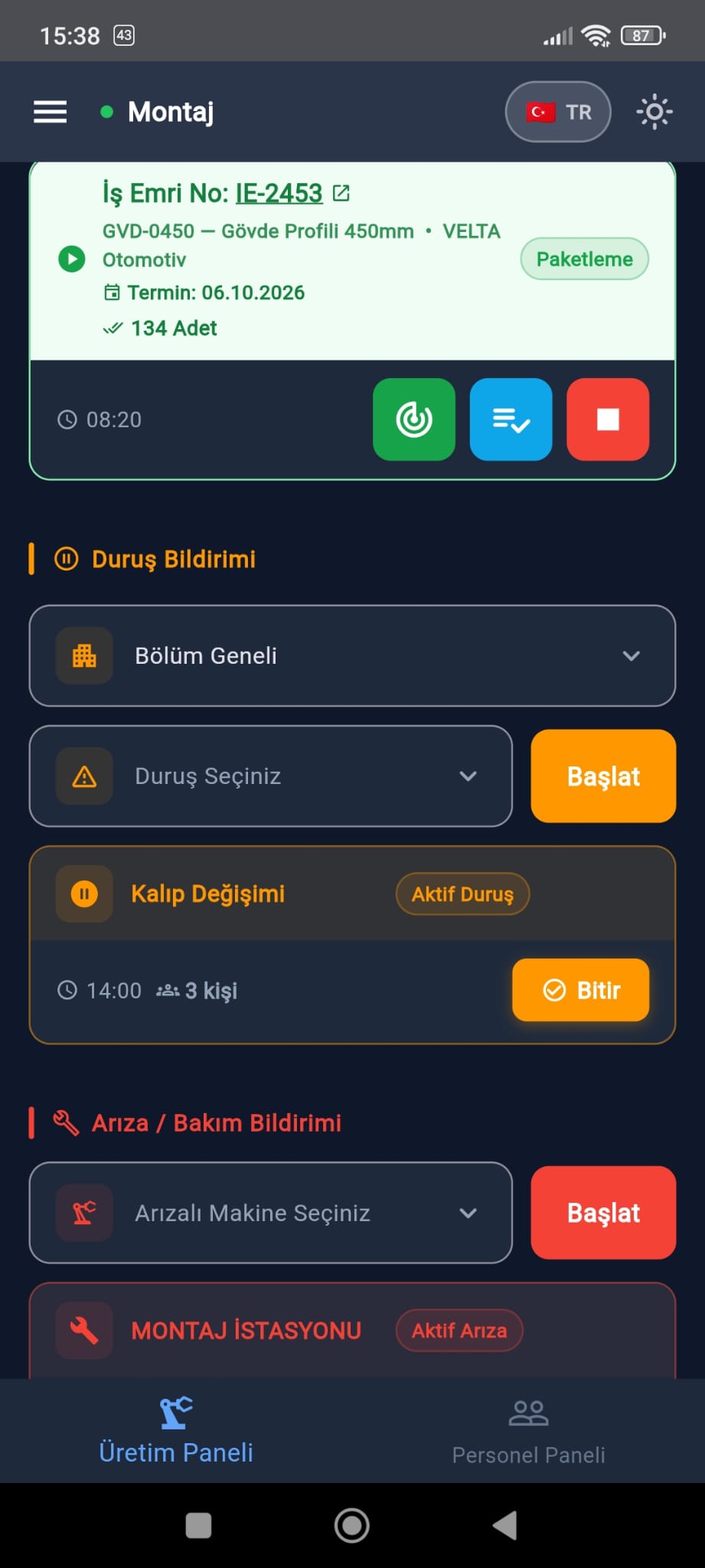
Lider üretim paneli
Leader productionManage orders on-site
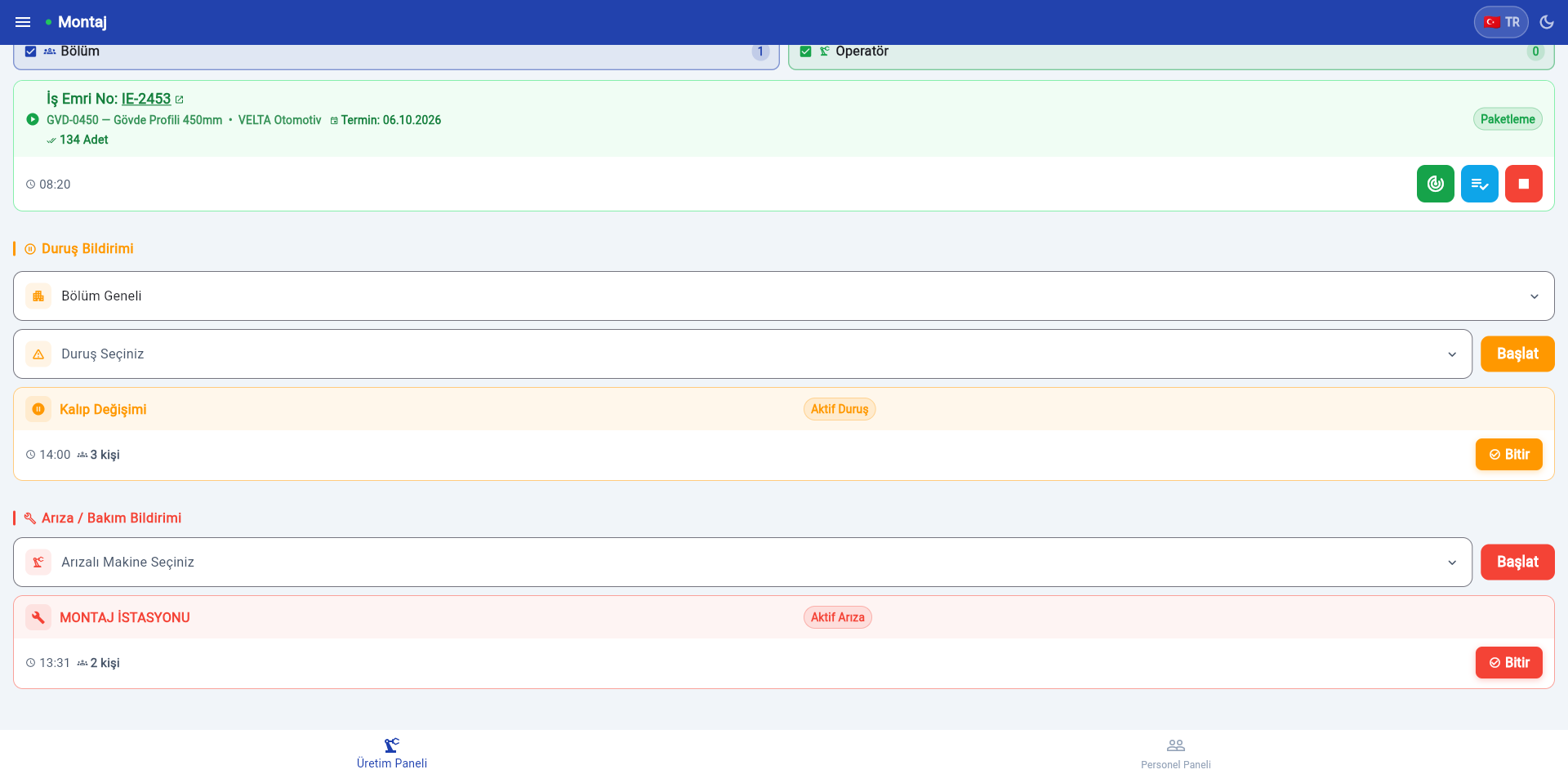
Duruş/Arıza bildirimi
Stoppage/fault reportLog stoppages and machine faults
Rapor yönetimi
Report managementPick a period, download Excel

See all 84 screensAll 84 screens, web and mobile, on a separate page.

On mobile too

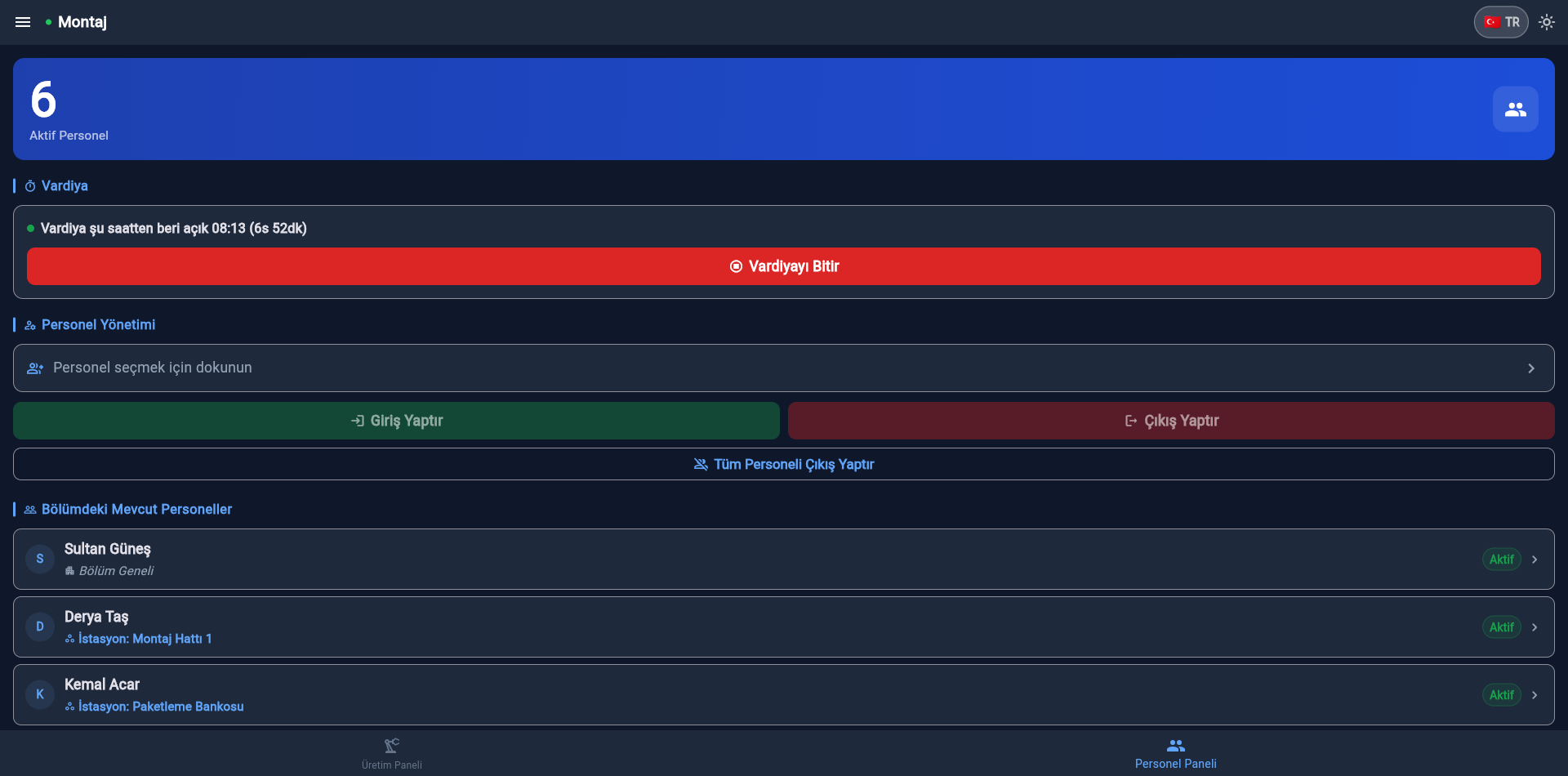
Works right in the field.

The same app runs on phones and tablets — start jobs, log staff and quantities without leaving the floor.

FOR THE FIELD TEAM COMING SOONGoogle Play
Giriş ekranı
Sign-inManager & leader login
Genel bakış
OverviewLive status of all lines
Makine durumları
Machine statusPer-machine OEE and availability
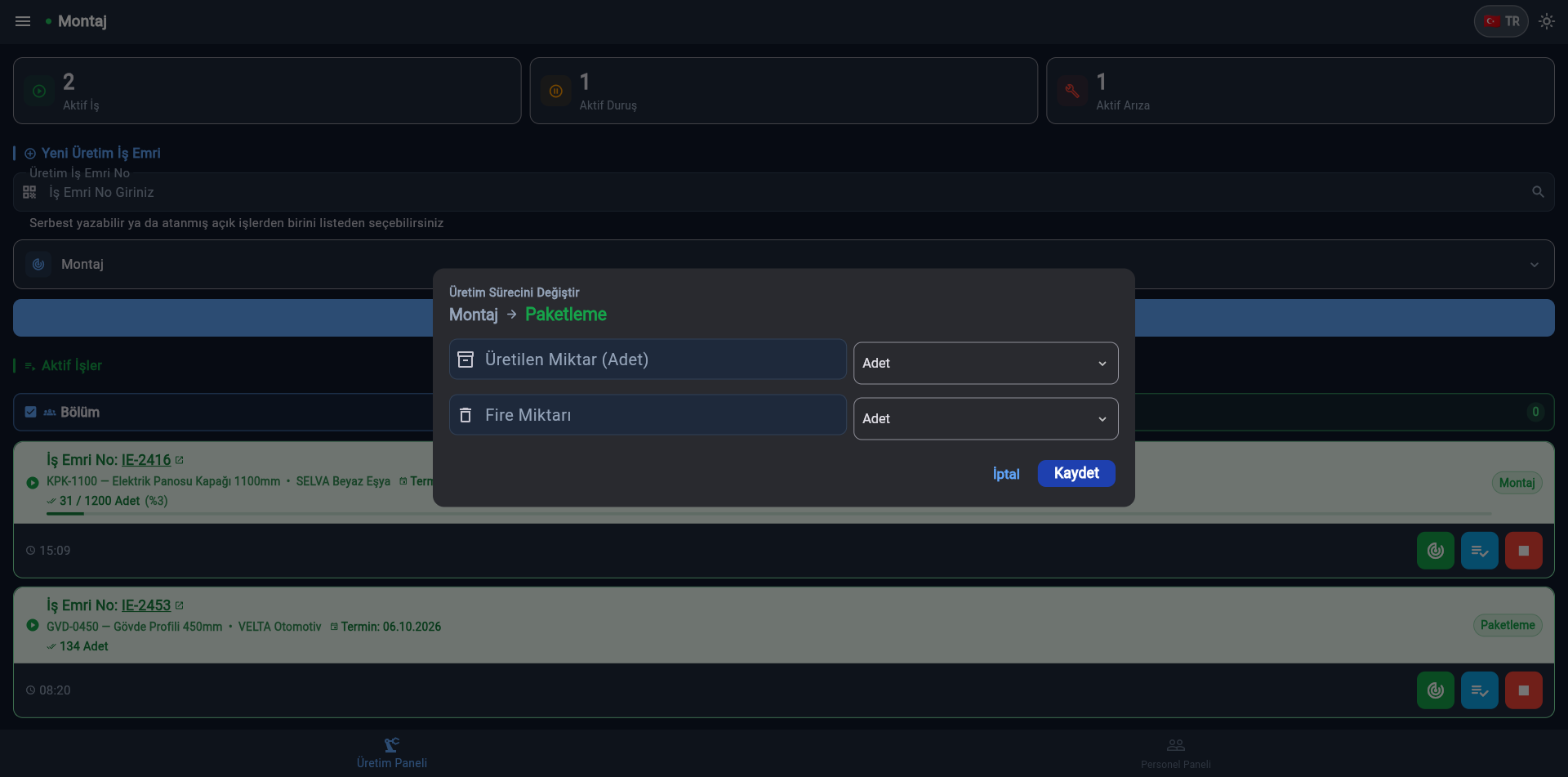
Üretim başlatma
Start productionAssembly — Start production
Duruş/Arıza bildirimi
Stoppage/fault reportLog stoppages and machine faults

See all 84 screensAll 84 screens, web and mobile, on a separate page.

Reporting

Real Excel output, six sheets.

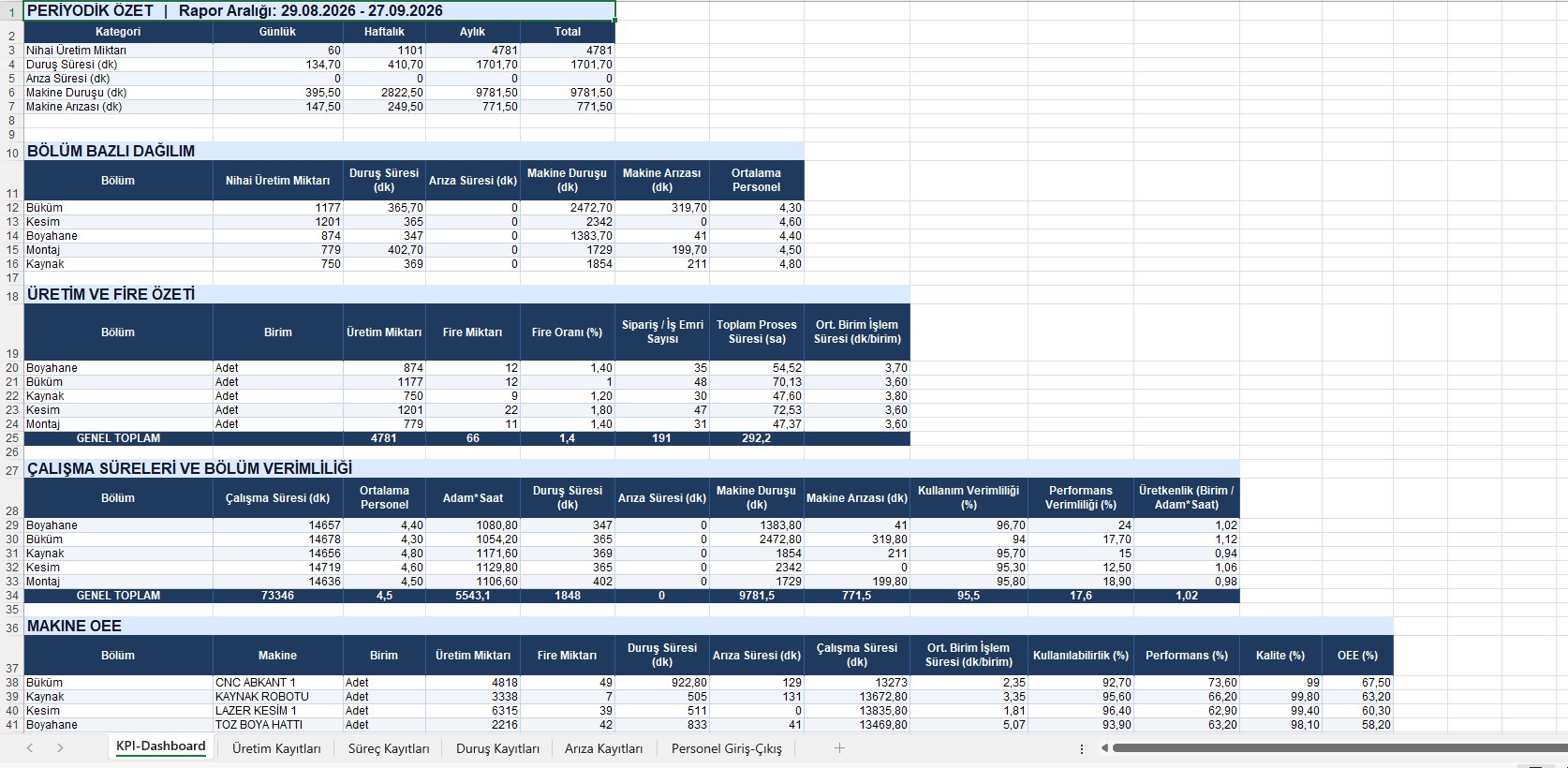
One tap exports the KPI dashboard, production, processes, stoppages, faults and staff across six sheets — with start/end dates in separate columns. Open it on desktop or straight from the phone.

On the computer
On the phone
Production_Tracking_Report_270926.xlsx
Excel raporu - KPI panosu (bilgisayar)
KPI dashboardProduction, stoppage, fault and machine OEE totals in one sheet.
Excel raporu - KPI panosu (telefon)
KPI dashboard
Production_Tracking_Report_270926.xlsx
Excel raporu - Üretim kayıtları (bilgisayar)
Production recordsEvery work order with start/end dates, times and produced quantity, row by row.
Excel raporu - Üretim kayıtları (telefon)
Production records

Tap a report to view it larger.

See all report sheets

What it does

One flow, floor to office.

The team leader starts and finishes the job. The manager sees it at the same moment. The report is ready at month end.

Live department status

Every department is either green or red. You see it without refreshing the page.

Work order records

Order number, times, quantity and status. One tap instead of manual entry.

Production / work order management

Bulk-import work orders from Excel — upload the list you pulled from your ERP straight into manuflo instead of typing each order by hand.

Stoppage logging

Reasons are picked from predefined codes. You can see which reason cost how many hours.

Fault tracking

Logged per machine. See which machine stops most often and base maintenance on data.

Staff management

Assign from the staff pool to departments. Who worked which shift stays on record.

Works on any device

Desktop in the office, phone on the floor, tablet at the machine. Same data, same moment.

KPI dashboard

Daily, weekly and monthly totals per department in one Excel sheet — production, stoppage and fault counts at a glance.

Machine OEE

Availability, performance and quality combine automatically into an OEE score per machine — no manual calculation.

Products, stock and recipes

Define stock cards, products and recipes. The recipe states how much raw material each product consumes.

Automatic stock deduction

When production is reported, the recipe materials leave stock automatically, scrap allowance included.

Process chain

Cutting, bending, welding, paint, assembly. A job ends in one process and passes to the next with one tap.

Document management

Work order PDFs and technical drawings attach to the order; the operator opens them at the machine.

Shifts and duty assignment

The team leader opens the shift, checks staff in and places them on a machine or station.

Line performance

Expected time is compared with actual working time; utilisation and performance come out per line.

Data management

Pick a period and remove a wrong record; the work order progress can be rolled back automatically.

Company-level isolation

Each company's data stays in its own space; a user only ever reaches their own company records.

Works offline

Records can be entered with no connection; data syncs by itself once the line is back.

Who sees what

Four roles, four screens.

Everyone signs in with the company code and sees only what their role needs — nothing more. Managers see the entire plant, the rest move fast on a focused screen.

Manager

The whole plant

Live status of every department, past records and reports in one panel.

  • Live status of all departments
  • Define departments, users and staff
  • Define stoppage codes, machines and processes
  • Download Excel reports
  • Create accounts for every role
Team Leader

Their own department

A simple screen: start the job, log the stoppage, close the shift. No training needed.

  • Start and finish work orders
  • Log stoppages and faults
  • Select staff working the shift
  • Daily counters for the department
  • Secure sign-in with company code
Operator

Their own machine

Assigned to a single machine: start production, report a stoppage or fault, finish the job. Nothing else on the screen.

  • Start and finish production on the assigned machine
  • Report stoppages and machine faults instantly
  • Enter quantity produced
  • Machine-based counters
  • Secure sign-in with company code
Observer

Read-only overview

For those who only need to follow the plant — investors, consultants, auditors. Sees everything, changes nothing.

  • Live status of all departments
  • No editing rights
  • View reports and past records
  • Ideal for investors and consultants
  • Secure sign-in with company code
Security

Your data stays protected.

manuflo runs on Google's cloud infrastructure and is built with security as a default, not an afterthought.

Encrypted storage

Data is encrypted both in transit and at rest on Google's cloud infrastructure (Firebase).

Regular backups

Your records are backed up at regular intervals, keeping data-loss risk to a minimum.

Role-based access

Only authorized users can sign in with the company code, each limited to what their own role can see.

Data protection

Processing follows the KVKK notice and data processing agreement published in the footer. Your company remains the controller of the staff data you enter; deleting your account deletes your operational data with it.

Company-level isolation

Each company's data stays in its own space; access to another company's records is blocked at the database rule level.

Passwords are never shown

Passwords are stored as an irreversible hash; not even an administrator can view one — only set a new one.

Authorisation verified server-side

Role and company are verified on the server; no field a user can write to is ever used as the source of authority.

App attestation

Only requests from a genuine manuflo client reach the server; forged clients are rejected.

Upload validation

Uploads accept PDF only, up to 20 MB; the file type is verified from its content, not its extension.

About us

No factory in Türkiye left behind in digital production.

manuflo was built with this vision, and its pricing follows from it: a cost a small workshop and a large plant can both afford.

Vision

Production data should be within reach of manufacturers of every size, not just large plants. Budget should not be what stands in the way of going digital.

Mission

To deliver a system that is actually used on the floor: one an operator learns in minutes, that shows a manager data from day one, and that needs no consultant to set up.

From a real production manager, designed for the real needs of production.

BGZ YAZILIM
Pricing

Scales with your team.

As many users as you need, unlimited departments. Upgrade as you grow.

Starter
Small teams
5.000 ₺
MONTHLY · EXCL. VAT
  • 25 users
  • Unlimited departments
  • All modules
  • Excel reporting
  • Email & phone support
Start free
Standard
Growing factories
10.000 ₺
MONTHLY · EXCL. VAT
  • 50 users
  • Unlimited departments
  • All modules
  • Excel reporting
  • Email & phone support
Start free
Most popular
Professional
Multi-line producers
20.000 ₺
MONTHLY · EXCL. VAT
  • 100 users
  • Unlimited departments
  • All modules
  • Excel reporting
  • Email & phone support
Start free
Enterprise
Multi-site groups
Custom
USAGE-BASED
  • Unlimited users
  • Setup and training
  • ERP integration
  • Tailored solutions
  • Everything in other plans
Get quote

2 months free on annual prepayment · 14-day free trial on all plans · Invoice provided

FAQ

Questions, answered clearly.

Everything you need to know about manuflo's platform, data handling and subscription process. Can't find what you're looking for? Our team is one message away.

What is manuflo, exactly?
manuflo is a SaaS production tracking system built for manufacturing businesses. It records production, personnel, stoppage and fault data in real time, and runs on both web browsers and mobile/tablet devices, so the shop floor and the office always work from the same data.
Which devices does manuflo run on, and how do I install it?
manuflo works directly in the browser at app.manuflo.com.tr, with no installation required. The mobile/tablet application is available as a free download on Google Play, so field teams can log data from the production line without any license fee for the app itself.
What data does manuflo process?
At account setup, we process the company/factory name, the authorized person's full name, a corporate email address and password. Once in use, the system processes operational records such as production quantities and start/end times, personnel check-in/check-out times, and stoppage and fault records with their start/end dates and times.
How do I use manuflo?
After registering your company, follow these steps in order: define your departments/lines, create team leader, operator and observer accounts, define your machines, processes and stoppage codes, and build your staff pool. Once these are set, the field team can start work orders and you can watch progress live from the manager panel — all on the same day.
How do I create a department and a user?
From the manager menu's Department/Line Management screen, add a new department. From User Management, open a team leader, operator or observer account tied to that department. From Staff Management, add the staff who will work the shift to your pool. Each definition takes a couple of minutes.
Where is our data stored?
All data is stored on Google Firebase, a cloud infrastructure service, using its data storage and database services. This allows records entered from the field or the web to be securely centralized and accessed instantly from any authorized device.
Is there a free trial?
Yes. Every new account starts with a 14-day free trial covering all modules, so your team can test manuflo under real production conditions before making any payment.
How do I subscribe once the trial ends?
At the end of the 14-day trial, you get in touch with our team by email, phone or WhatsApp and select the package that fits your business. Following payment by bank transfer (EFT), your subscription is activated on a monthly or annual billing cycle, and an e-invoice is issued for the payment.
Which payment methods are accepted?
We only accept payment in advance by bank transfer (EFT/Havale). Credit card or other online payment methods are not currently supported. Once payment is confirmed, an e-invoice is issued for your records.
How quickly is our account activated after payment?
Your account is activated within 1 hour of confirmed payment, and your team can continue using the selected package without interruption.
Is there an advantage to choosing an annual subscription?
Yes. Customers who prepay for an annual subscription receive 2 months free, effectively paying for 10 months of service across the full year.
What happens if I cancel an annual subscription early?
If an annual subscription is cancelled before term, the fee for the months already used up to the cancellation date is retained, and the remaining months are refunded. The 2 free months granted for the annual prepayment are excluded from this refund calculation, and no additional early-termination fee is charged.
What happens to our data if we delete our account?
When you delete your account, all your operational data — including production, staff, stoppage and fault records — is automatically deleted from the system. Only billing records that must be retained by law are kept separately, for the legally required period.
How can we reach support if we run into an issue?
You can reach our support team by email, phone or WhatsApp every day of the week for any request or issue related to your account or the platform. Requests are answered within a commercially reasonable time.
Get started

Try it for one shift.

No setup, no hardware. Register your company, define your departments, start using it the same day.